Valorant Sensitivity Finder & Converter (Perfect Sens Calculator)
By BattlePooja |
Struggling with inconsistent aim, weird mouse feeling, or different sensitivities across games? Use the BattlePooja Valorant sensitivity finder to convert sensitivity, calculate your perfect sens, and lock in a setup that actually feels natural.
What Is the Valorant Sensitivity Finder?
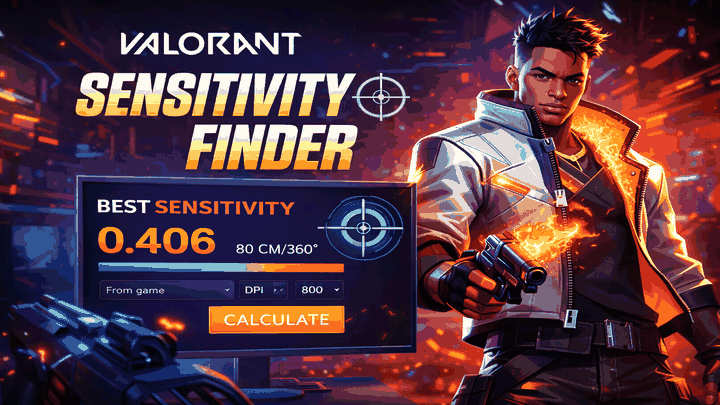
The Valorant sensitivity finder on BattlePooja is a free online tool that helps you discover, refine, and convert your ideal mouse sensitivity for Valorant. Instead of guessing or copying pro settings, you get a sens calculator that is based on your own DPI, playstyle, and muscle memory.
Our tool works as a Valorant sensitivity converter, sens calculator, and sensitivity finder in one place. It is designed for ranked grinders, casual players, and creators who want consistent aim across every FPS they touch.
You can open the tool directly here: Open Valorant Sensitivity Finder Tool
Why Mouse Sensitivity Matters in Valorant
Valorant is a tactical shooter where micro-adjustments and crosshair placement decide most duels. If your mouse sensitivity is too high or too low, you will constantly overflick, underflick, or feel like your aim is fighting against you.
- Too high sensitivity makes your crosshair shaky and inconsistent at long range.
- Too low sensitivity makes it hard to flick to enemies quickly or turn on flanks.
- Inconsistent sens between games ruins muscle memory when you switch from titles like CS2, Apex, or Fortnite.
By using a proper sensitivity calculator and sens converter, you keep your muscle memory intact and can focus on crosshair placement, utility, and game sense instead of fighting your mouse.
How to Use the BattlePooja Sensitivity Finder Tool
The BattlePooja Valorant sensitivity finder is built to be simple enough for beginners and precise enough for competitive players. Here is a basic step-by-step flow you can follow.
Step 1: Enter Your Current Settings
- Open the tool at Valorant Sensitivity Finder.
- Fill in your current DPI and in-game sensitivity (either from Valorant or any other game you play).
- If you already use our eDPI calculator, you can directly plug in that value for faster tuning.
Step 2: Use the Valorant Sensitivity Calculator
- Use the sens calculator section to test different eDPI ranges.
- The tool will suggest the most common and effective ranges used by experienced players (for example, typical “low sens” and “mid sens” brackets).
- Pick a starting point that matches your aim style: wrist aimers usually prefer higher sens, arm aimers tend to prefer lower sens.
Step 3: Fine-Tune With the Sensitivity Finder
- Use the sensitivity finder Valorant slider or incremental inputs to make small changes instead of random jumps.
- Play a few deathmatch or range sessions after each change and track how often you overflick or underflick.
- Once your flicks feel consistent and your tracking is stable, save that configuration.
Step 4: Save and Sync Across Tools
- Note your final DPI, Valorant sensitivity, and eDPI.
- Use the same values in our Valorant crosshair generator so your practice routine is consistent.
- You can also confirm your performance with the FPS calculator to ensure your hardware is not bottlenecking your aim.
Convert Sensitivity Between Games
One of the most useful features of the tool is the convert sensitivity / sens converter module. If you play multiple games, you do not want your aim to feel completely different every time you switch.
How the Sensitivity Converter Works
- Select your source game (for example: CS2, CS:GO, Apex Legends, Fortnite, Overwatch, Rainbow Six Siege, etc.).
- Enter your current in-game sensitivity and DPI.
- Select Valorant as the target game.
- Let the Valorant sensitivity converter calculate the mathematically equivalent Valorant sens for you.
This way, you keep the same overall feeling and turn distance, so your muscle memory transfers cleanly between titles. It is especially useful if you are coming from years of experience in another FPS and do not want to start from zero.
Sensitivity Calculator Tips for Consistent Aim
A sensitivity finder or calculator is powerful, but you still need to use it correctly. Here are some practical tips from an aim and settings perspective.
1. Stick to One Sensitivity for at Least a Week
Constantly changing numbers is one of the biggest reasons players never build real muscle memory. Once you use the sensitivity finder to dial in a playable range, commit to it for at least 5–7 days of playtime before making big changes.
2. Track Your Performance, Not Just Your Feeling
- Use deathmatch, range routines, or aim trainers to log your accuracy over time.
- If your stats steadily improve, do not touch your sens even if it occasionally “feels off.”
- Pair this with our mouse tracker to understand how you move your mouse across the pad.
3. Understand DPI and eDPI
Many players obsess over in-game sensitivity but ignore DPI. The combination of DPI × in-game sens (eDPI) is what truly matters, which is why tools like our sensitivity calculator and eDPI calculator are so valuable.
4. Optimize Your Setup Too
Great sensitivity cannot fix low FPS, stutter, or input lag. Run your system through the Valorant PC spec checker and FPS calculator so the settings you find with the sensitivity finder actually feel smooth in-game.
FAQ: Valorant Sensitivity Finder & Converter
What is the Valorant sensitivity finder used for?
The Valorant sensitivity finder is used to calculate and fine-tune your mouse sensitivity specifically for Valorant. It helps you find a comfortable eDPI, convert sensitivity from other games, and lock in a consistent setup for ranked.
How do I convert sensitivity to Valorant?
Open the BattlePooja sens converter, choose your source game, enter your current DPI and sensitivity, and select Valorant as the target. The tool will instantly give you the equivalent Valorant sensitivity so your aim feels the same.
Is a sensitivity calculator better than copying pro settings?
Copying pro settings can work, but it ignores your desk space, mouse, grip, and playstyle. A sensitivity calculator tailor-made for you is more consistent long-term and helps you build real muscle memory faster.
What is a good sensitivity for Valorant?
Most players fall into a comfortable range around a certain eDPI window, but “good” depends on your preference. The goal of the Valorant sensitivity finder is not to force one number, but to help you land in a range that fits your style and mechanics.
Can I use this tool for other games too?
Yes, the convert sensitivity module is designed for multiple FPS titles. You can use it to keep one consistent feel between Valorant and games like CS2, Apex, Fortnite, and more.

Hi, I’m Pooja—Gamer, Creator, and Performance Tool Builder. After grinding in Valorant, I realized competitive players needed clean, data-driven calculators without the heavy ads. I created BattlePooja to bridge the gap between technical hardware optimization and in-game mechanical skill.