Valorant eDPI Calculator & Sensitivity Guide
Convert game sensitivity, calculate cm/360, and benchmark your aim against VCT Pros.
Quick Navigation
Understanding eDPI in Valorant
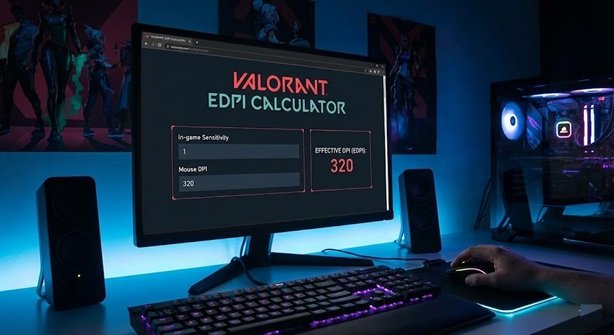
In tactical shooters, consistency is king. eDPI (Effective Dots Per Inch) standardizes your sensitivity across different hardware. It is calculated by multiplying your Mouse DPI by your In-Game Sensitivity.
For example, if player A uses 800 DPI at 0.4 sensitivity, and player B uses 1600 DPI at 0.2 sensitivity, their cursor speed is identical (320 eDPI).
VCT Pro Player Sensitivity Tiers (2025 Meta)
We analyzed over 150 active pro players to categorize the most effective sensitivity ranges.
| Category | eDPI Range | cm/360° | Ideal Playstyle |
|---|---|---|---|
| Precision (Low) | 160 – 240 | 81cm – 54cm | Holding long angles (Operator/Sheriff). |
| Standard (Mid) | 240 – 320 | 54cm – 40cm | Rifling stability with decent movement. |
| Speed (High) | 320 – 450 | 40cm – 28cm | Entry fragging, fast satchels, 180° turns. |
Technical Deep Dive: Optimizing for Performance
Does Resolution Affect Sensitivity?
No. A common myth from the CS:GO era is that “stretched” resolution (like 1280×960 4:3) changes your sensitivity. In Valorant, horizontal Field of View (FOV) is locked to 103°. This means your mouse distance to turn 360 degrees remains exactly the same, regardless of whether you play on 1080p, 1440p, or stretched 4:3.
The 1600 DPI vs 400 DPI Debate
Tests using NVIDIA LDAT (Latency Display Analysis Tool) confirm that higher DPI lowers input lag. 1600 DPI sends updates to your PC more frequently for small movements compared to 400 DPI.
Recommendation: Set your mouse to 1600 DPI and lower your in-game sensitivity. For example, if you use 0.6 at 400 DPI, switch to 0.15 at 1600 DPI. The speed is the same, but the tracking is smoother.
Polling Rates: 1000Hz vs 4000Hz (4K)
With modern mice (Razer Viper V3, Logitech G Pro X Superlight 2) supporting 4000Hz and 8000Hz polling, should you upgrade? Higher polling rates make micro-adjustments feel more “connected,” but they consume more CPU.
Important: If you use a mouse with >1000Hz polling rate, you MUST enable the “Raw Input Buffer” setting in Valorant’s General settings. Without this, your FPS may stutter during fast swipes.
Frequently Asked Questions
How do I convert CS2 sensitivity to Valorant?
What is the “average” player eDPI?
Does Windows “Enhance Pointer Precision” affect Valorant?
What is a safe cm/360 range?
Wrist Aiming vs. Arm Aiming?
Disclaimer: This tool is not endorsed by Riot Games. Valorant and all associated properties are trademarks of Riot Games, Inc.