Valorant Patch 12.04 Explained – Killjoy Turret Buff, New UI and Stutter Fix (March 2026)
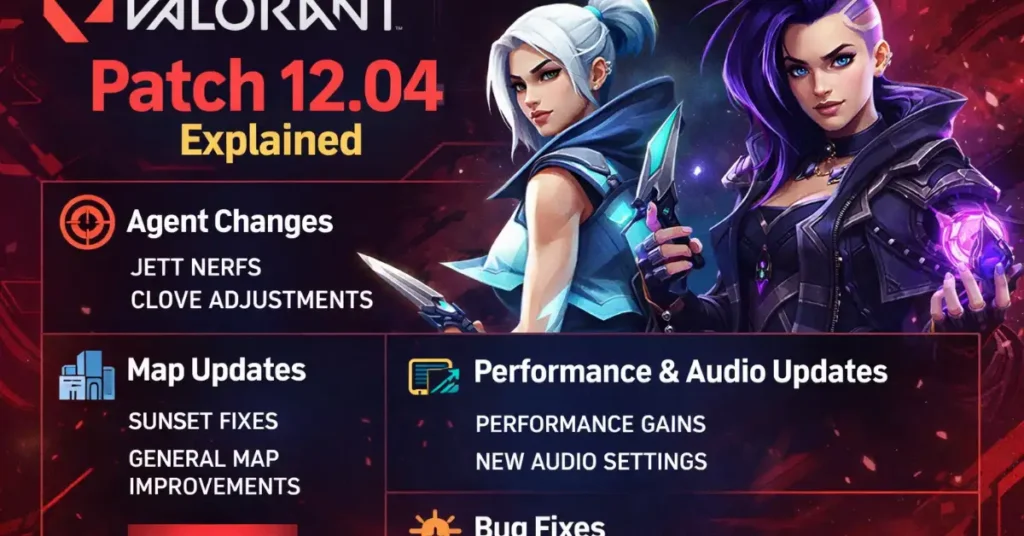
Patch 12.04 looks small on paper, but it quietly fixes some of the most annoying issues from the start of Season 2026. Riot cleaned up Killjoy’s turret and Nanoswarm bugs, revamped the End of Game and Career screens, patched up stutters from 12.03 and did another pass on Breeze and other maps.
If your ranked games felt scuffed by random FPS drops or utility jank, this is the patch that makes Valorant feel smooth again. Let’s break down every change in simple language, and what it means for your grind right now.
Valorant patch 12.04 summary (TL;DR)
12.04 is a quality‑of‑life patch. No new agents or weapons, but a lot of deep cleaning: Killjoy QoL, UI revamp, performance fixes and map polish that make everyday games feel better.
| Category | Key changes in 12.04 |
|---|---|
| Killjoy | Turret quality‑of‑life buff, Nanoswarm invisibility and activation bugs fixed. |
| Other agents | Bug fixes for Jett, Harbor, Fade, Chamber, Skye and more. |
| Maps | Breeze collision and art fixes, geometry tweaks on multiple maps. |
| UI | New End of Game, Rank summary and refreshed Progression/Career pages. |
| Performance | More complete fix for stutters introduced with patch 12.03. |
| Store | Accessories store background fixed, Reaver Bandit label corrected. |
Killjoy turret QoL and Nanoswarm fixes
Killjoy is the only agent explicitly highlighted in Riot’s 12.04 notes, and for good reason. Her turret and Nanoswarm had several frustrating issues that could decide rounds in ways that felt wrong.
Turret quality‑of‑life buff
The turret now behaves more consistently, especially around line‑of‑sight and minimap feedback. A bug where the turret’s vision cone could disappear from the minimap when you right‑clicked has been fixed, so you always know what area it actually covers.
This sounds small, but for site anchors who rely on turret info for rotations and utility timing, it’s a real quality‑of‑life buff. You get clearer information and fewer “why didn’t my turret see that?” moments in ranked.
Nanoswarm bugs fixed
12.04 also cleans up multiple Nanoswarm edge cases. Enemies could sometimes stay invisible to the grenade after Killjoy was suppressed, or Nanoswarm might fail to fully activate when suppression was involved. Those interactions are now fixed.
Another bug allowed enemies to momentarily escape detection when moving quickly in and out of Nanoswarm range, which could make your post‑plant mollies feel inconsistent. That’s gone too, so your lineups and default mollies are more trustworthy again.
Other agent bug fixes in 12.04
Beyond Killjoy, patch 12.04 ships a handful of targeted agent fixes that tidy up audio, visuals and round transitions. None of these are big balance changes, but they remove “this feels bugged” moments that tilt lobbies.
- Jett: Drift’s passive gliding sound can no longer be heard from the opposite side of Astra’s Cosmic Divide.
- Harbor: Storm Surge no longer carries over into the next round if cast right as the round ends.
- Fade: Nightfall’s minimap indicator has been resized to match the actual ultimate area.
- Chamber: Trademark no longer plays its reactivation sound twice when suppression ends on him.
- Skye: Observers now see her Seekers properly on the minimap when she’s attacking.
There’s also a small Battlepass fix: pressing ESC now correctly takes you back a page instead of making the UI flicker in and out. A remaining scroll‑wheel issue on the pass is flagged as a known bug for 12.05.
Map clean‑up and new UI changes
Breeze and geometry tweaks
Breeze, which already got bigger layout work earlier in Season 2026, receives a collision and art polish pass in 12.04. Riot explicitly mentions allowing Vyse’s Arc Rose and Cypher’s Spycam to be placed correctly on certain walls, plus fixing minor art bugs.
Across multiple maps, geometry in high‑traffic areas has been adjusted to remove unintended gaps. This reduces accidental one‑ways, weird peeks and broken pixel lineups that shouldn’t exist in the first place.
End of Game and Career UI overhaul
On PC, patch 12.04 completely refreshes the End of Game screen, your Rank recap, and the Progression Hub/Career pages. You now get a cleaner layout, clearer RR gain/loss display and updated Summary and Timeline tabs for your match history.
The Career and Friends’ Career views also adopt the new UI, so it’s easier to track how your stacks are doing and how your own performance has changed across the season. For anyone grinding improvement seriously, this makes post‑game review less of a chore.
Performance and stutter improvements
Performance is where 12.04 quietly matters the most. After patch 12.03, many players reported heavy stutters; Riot shipped a hotfix, but also promised a more robust fix. That fix is now bundled into 12.04.
The patch targets the underlying frame‑time issues behind those stutters, so fights and Skirmish rounds should feel smoother on most rigs. If your crosshair felt like it was lagging behind your flicks after 12.03, this patch should help a lot.
Premier and ranked grind notes
While 12.04 doesn’t launch a new Premier Stage itself, Riot uses this patch to flag important details for the next Stage, which will arrive with 12.05 and Act 2.
- The next Premier Stage (V26A2) will run for six weeks instead of seven.
- Playoffs are scheduled around April 16, depending on patch timing.
- You’ll need at least 500 Premier Score to qualify for playoffs, so weekly performance matters more.
With 12.04 stabilising performance and cleaning up UI, this is a good moment to lock your settings before Act 2 and treat the rest of Act 1 as a warm‑up block for serious Premier runs.
What to do after updating (settings checklist)
Because 12.04 mainly improves feel and stability, the best move now is to stabilise your own setup around it. Think of this as a mini‑reset for your aim environment.
- Play a few Skirmish or Deathmatch games to confirm your FPS and frame‑time feel smooth.
- Recheck graphics and FPS cap settings after the patch, especially if you changed anything to fight 12.03 stutters.
- Use the Valorant Sensitivity Finder & Sens Converter 2026 to confirm your DPI, sens, eDPI and cm/360 are exactly where you want them before you grind.
- Run through the Valorant Aim Setup Wizard to double‑check scoped sens, FPS cap, and aim‑related settings now that the client is more stable.
- Only make tiny sensitivity changes (if any) for the next couple of weeks so you can actually feel the benefit of the performance patch in your muscle memory.
FAQ – Valorant patch 12.04
Does Valorant patch 12.04 change the meta?
No big balance numbers changed in 12.04, so the agent meta is basically the same as it was on 12.03. Clove, Jett, Sova and the usual meta picks are still safe, but Killjoy feels more reliable thanks to fewer bugs.
Is Killjoy actually buffed or just fixed?
Riot doesn’t list direct damage or stat buffs, but fixing turret feedback and Nanoswarm invisibility/activation issues is effectively a soft buff. You lose fewer rounds to random utility bugs, and your setups behave closer to how they’re supposed to.
Will 12.04 fix all my stutters?
12.04 includes a more robust fix for the stutter issues that started in 12.03, and should help most players. If you still stutter after this patch, it’s more likely to be local (drivers, overlays, background apps) than something the game can fully solve alone.
When is the next big Valorant update after 12.04?
The next major beat is patch 12.05 with Act 2 and the new Premier Stage. That’s where you should expect larger changes again, whether it’s agent balance, map pool updates, or more progression features on top of these UI improvements.

Hi, I’m Pooja—Gamer, Creator, and Performance Tool Builder. After grinding in Valorant, I realized competitive players needed clean, data-driven calculators without the heavy ads. I created BattlePooja to bridge the gap between technical hardware optimization and in-game mechanical skill.