Best Valorant Crosshair Codes (March 2026) – Pro Codes, Simple Dots and High‑Vis Setups
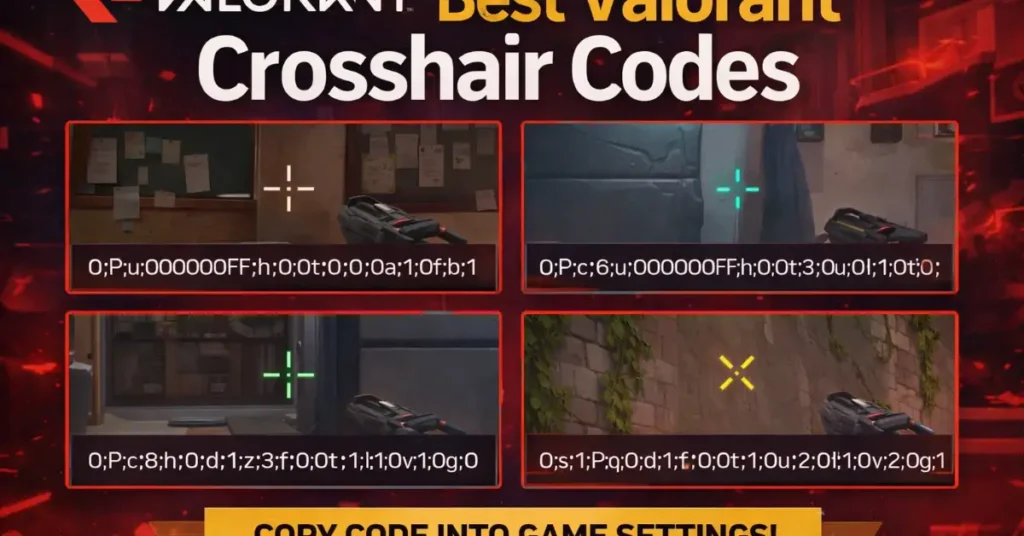
Your crosshair is the only UI element you stare at every single round in Valorant. A small change here can genuinely boost your headshot percentage, confidence and ranked win‑rate. This guide covers the best Valorant crosshair codes for March 2026, including pro player‑style crosshairs, clean dots and high‑visibility colors that work on every map.
All the crosshair codes below are ready to copy‑paste. You’ll also learn how to import them, how to tweak them for your own aim style and how to pick the right one for your rank instead of just blindly copying pros.
If you just want five plug‑and‑play crosshairs used by pros and high‑Elo players, start with these:
- TenZ‑style small cyan crosshair – 0;P;c;5;h;0;f;0;0l;2;0v;3;0o;2;0a;1;0f;0;1b;0
- Shroud‑style simple white crosshair – 0;P;c;1;h;0;f;0;0l;3;0v;2;0o;1;0a;1;0f;0;1b;0
- ScreaM‑style green headshot crosshair – 0;P;c;2;h;0;f;0;0l;2;0v;2;0o;2;0a;1;0f;0;1b;0
- Asuna‑style aggressive crosshair – 0;P;o;1;f;0;0t;1;0l;2;0a;1;0f;0;1b;0
- Valyn‑style precise IGL crosshair – 0;s;1;P;c;1;o;1;0t;1;0l;3;0a;1;0f;0;1b;0;S;s;0.65
How to use crosshair codes in Valorant
Valorant’s crosshair code system makes it super easy to copy any setup you see online. You only need one menu and one paste action.
- Open Valorant and go to Settings (ESC → gear icon).
- Click the Crosshair tab at the top.
- Select a crosshair profile slot (or create a new one).
- Click the small Import icon (down‑arrow) next to “Crosshair Profile”.
- Paste any code from this article and hit Import.
- Make sure “Movement Error” and “Firing Error” are turned off for a static crosshair.
You can store multiple profiles (for example: “Pro”, “Dot”, “High‑Vis”) and quickly swap them when you’re testing different setups or maps.
Top 5 pro‑style Valorant crosshair codes (2026)
These crosshairs are inspired by popular pro and high‑Elo setups: small, clean and designed for headshots. They work best if you already have decent aim and want a precise, unobtrusive crosshair.
| Style | Crosshair code | Why it’s good |
|---|---|---|
| TenZ‑style small cyan | 0;P;c;5;h;0;f;0;0l;2;0v;3;0o;2;0a;1;0f;0;1b;0 | Thin, high‑visibility cyan with short lines. Great for long‑range duels and precise tracking. |
| Shroud‑style simple white | 0;P;c;1;h;0;f;0;0l;3;0v;2;0o;1;0a;1;0f;0;1b;0 | Classic white crosshair with balanced inner lines. Easy to track on most backgrounds. |
| ScreaM‑style green headshot | 0;P;c;2;h;0;f;0;0l;2;0v;2;0o;2;0a;1;0f;0;1b;0 | Small green crosshair that pops on most maps. Great for one‑tap riflers and precise burst shots. |
| Asuna‑style aggressive | 0;P;o;1;f;0;0t;1;0l;2;0a;1;0f;0;1b;0 | Compact crosshair for hyper‑aggressive entry play. Prioritises visibility without being too thick. |
| Valyn‑style IGL crosshair | 0;s;1;P;c;1;o;1;0t;1;0l;3;0a;1;0f;0;1b;0;S;s;0.65 | Slightly larger, stable crosshair that helps with both rifling and IGLing while watching multiple angles. |
Best simple dot crosshair codes
Dot crosshairs are amazing if you like clean screen space and have good recoil control. They’re unforgiving if you spray a lot, but they force you to be disciplined with bursts and taps.
| Style | Crosshair code | Notes |
|---|---|---|
| Minimal green dot | 0;P;c;2;h;0;f;0;0t;4;0o;0;0a;1;0f;0;1b;0 | Tiny green dot with no lines. Great for close‑ to mid‑range headshots. |
| White dot with outline | 0;P;c;1;h;0;f;0;0t;4;0o;0;0a;1;0f;0;1b;1;S;o;1 | Dot is easier to see on bright backgrounds thanks to a subtle outline. |
| Cyan dot (high‑vis) | 0;P;c;5;h;0;f;0;0t;4;0o;0;0a;1;0f;0;1b;0 | Perfect if you like bright colours and play on maps like Breeze or Icebox. |
| Dot + mini lines | 0;P;c;2;h;0;f;0;0t;4;0l;1;0v;1;0o;1;0a;1;0f;0;1b;0 | Small centre dot plus tiny inner lines to help you track recoil slightly better. |
If you struggle to see the dot when spraying, bump the outline opacity or switch to a brighter color like cyan or hot pink.
High‑visibility crosshair colors and map tips
Sometimes your crosshair is good, but the color disappears into the map. Picking the right color for the map you play most can instantly make your aim feel more consistent.
| Map | Suggested color | Hex idea | Why it works |
|---|---|---|---|
| Ascent | Light blue / cyan | #00e0ff | Stands out against mid‑tones and green/brown environments. |
| Bind | Sky blue | #00a1ff | Contrasts well with desert walls and skyboxes. |
| Breeze | Cyan | #00ffdf | Very bright against green and sandy textures. |
| Haven | Blue | #0078ff | Cuts through the warm palette and foliage. |
| Icebox | Light green | #2aff00 | Visible on snow and steel surfaces. |
| Pearl | Red | #ff1d00 | Pops against blue and teal environments. |
In settings, you don’t set hex codes directly, but you can get close with the built‑in palette. The rule is simple: pick a bright color that never blends with player models or your favourite map’s main background.
Fun and creative crosshair codes
If you stream or just want to mess around in unrated, fun crosshairs keep things fresh. Don’t use these for serious ranked grind, but they’re great for content and warm‑ups.
| Style | Crosshair code | What it looks like |
|---|---|---|
| Smiley face | 0;P;c;5;h;0;f;0;0l;3;0v;1;0o;3;0a;1;0f;0;1b;0;S;c;0 | Goofy smile‑like pattern around the centre. Great for custom games. |
| Box crosshair | 0;P;c;2;h;0;f;0;0l;4;0v;4;0o;4;0a;1;0f;0;1b;0 | A small hollow square. Helps some players frame heads visually. |
| “Plus” crosshair | 0;P;c;3;h;0;f;0;0l;3;0v;3;0o;0;0a;1;0f;0;1b;0 | Looks like a classic FPS plus sign, thicker than pro‑style ones. |
How to choose the right crosshair for your rank
There is no single “best” Valorant crosshair code that magically ranks you up. The goal is to find something you can stick with for months, not hours. Use these guidelines instead of swapping every day.
- Iron–Gold: Start with slightly thicker, high‑visibility crosshairs or small dots with outlines. You want visibility and confidence more than ultra‑precision.
- Platinum–Ascendant: Move toward smaller, cleaner crosshairs (TenZ‑style, ScreaM‑style) and disable movement/firing error completely.
- Immortal+: At this point, you know what you like – tiny micro‑adjustments (1‑point line length or thickness changes) matter more than changing shapes.
- Always test a new crosshair for at least 3–5 full matches and a couple of aim routines before deciding it’s “bad”.
- Pair crosshair testing with a consistent aim setup (sens, eDPI, FPS, raw input) so you’re not changing too many variables at once.
FAQ – Valorant crosshair codes and aim
What is the best crosshair in Valorant?
The best crosshair is one you can see clearly on every map and that doesn’t distract you while spraying or flicking. For most players, a small static crosshair with a bright color (cyan, green, red) and no movement/firing error is ideal.
Should I copy pro crosshair codes?
Copying pro crosshairs is a good starting point, but don’t assume it will instantly fix your aim. Treat pro codes as templates, then adjust line length, thickness and color until it feels comfortable for your own sensitivity and monitor.
Are dot crosshairs good for beginners?
Dot crosshairs are powerful but unforgiving. For absolute beginners, a small crosshair with short lines is usually better because it still gives you some visual help with recoil and spray patterns. Once your control improves, you can switch to dots.
Do crosshair colors actually matter?
Yes. If your crosshair blends into the background, you’ll lose track of it in fights. Bright, contrasting colors like cyan, red or lime green tend to work best across Valorant’s current map pool. Avoid colors that match your favourite map’s walls.
How often should I change my crosshair?
As little as possible. Pick one or two favourites and stick with them for weeks. Constantly changing crosshairs makes it harder to build muscle memory, especially when you’re also adjusting sensitivity or learning new agents.

Hi, I’m Pooja—Gamer, Creator, and Performance Tool Builder. After grinding in Valorant, I realized competitive players needed clean, data-driven calculators without the heavy ads. I created BattlePooja to bridge the gap between technical hardware optimization and in-game mechanical skill.